
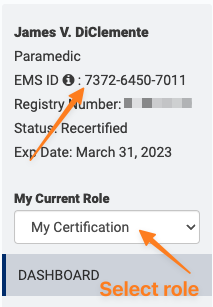
First, you will need to get your EMS ID from your NREMT account. Even though you are state certified only, for the states listed above, you will have an NREMT account to manage recertification.
Log in to your NREMT account and choose "My Certification" from "My current Role"
Next, add your EMS ID to your Prodigy profile.
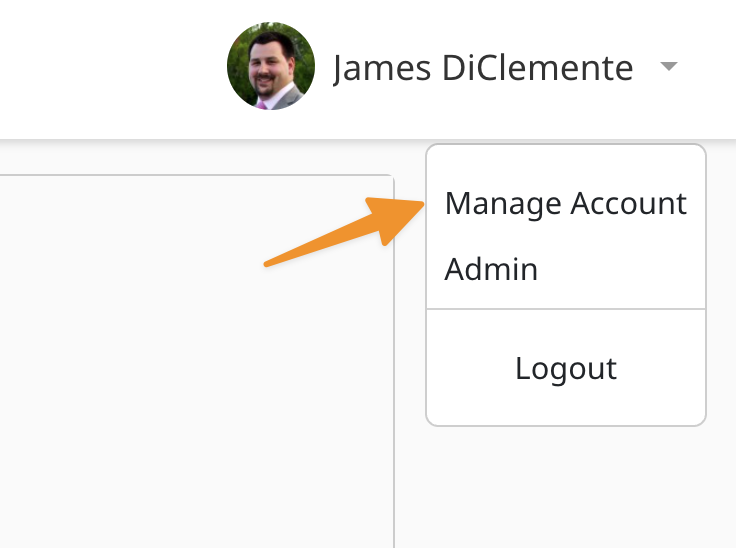
- Click on your profile
- Choose "Manage Account"
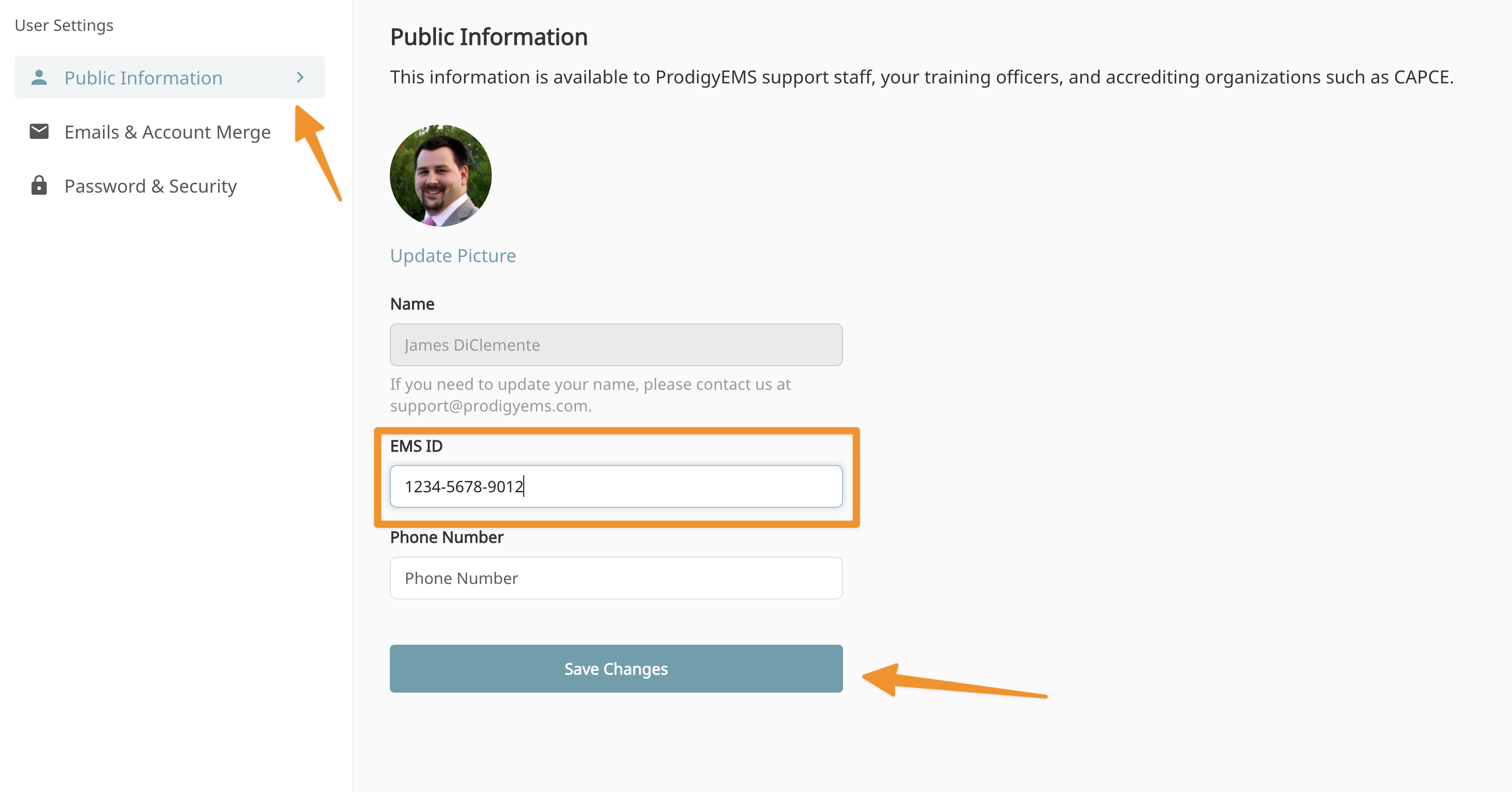
- "Public Information"
- Add EMS ID
Note
If you have classes you completed before adding your EMS ID, please reach out to support@prodigyems.com and we will correct previous submissions.
Tip
After this has been completed, follow these steps to import the class. Import Class to NREMT